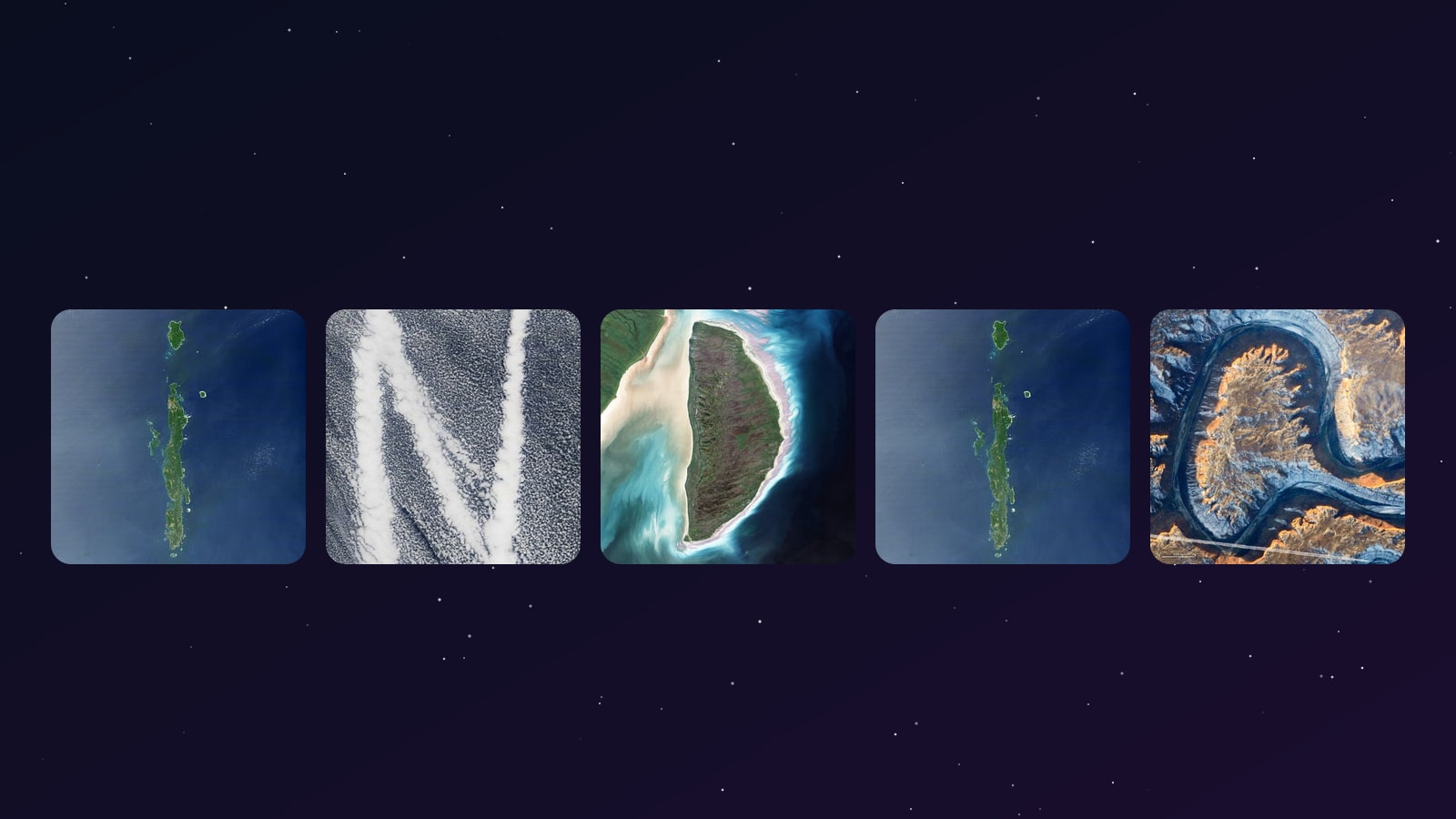
In August 2024, NASA released a small interactive web toy called "Your Name in Landsat". Type a name, see it spelled out using real photographs of Earth from the Landsat archive - rivers shaped like J's, lakes shaped like O's, ridges shaped like A's. By April 2026 it had been visited more than 715,000 times.
We've spent the last few weeks rebuilding it as Your Name On Earth, using public-domain NASA imagery with clear credit and a handful of additions around context, sharing, and mobile use. This article walks through every difference, what we kept, and the design reasoning behind each call.
What NASA's tool does
You go to science.nasa.gov/specials/your-name-in-landsat, type your name, and it draws each letter using a Landsat or Earth Observatory image of a real place. Each letter is annotated with its latitude/longitude. You can save the result as a single composite image and share it.
Under the hood, the dataset is curated from NASA Earth Observatory's Reading the ABCs from Space collection - a project the agency has been running since 2012. Some letters were easy: O and C show up in craters and coastlines all over the planet. Others - A, B, and R - were "maddeningly difficult," in NASA's own words, and took years to find naturally on Earth.
Credit goes to Ross Walter, Allison Nussbaum, and Ginger Butcher of the Landsat Project Science Support Team for both the dataset and the original web toy.
Where we wanted more
After a few weeks of watching people share NASA's tool - mostly via screenshots on X and WhatsApp - three patterns kept showing up in the comments:
- "Wait, where on Earth is that?" Coordinates like
12.5°N, 92.8°Eare accurate but unreadable. Most people can't tell at a glance whether they're looking at the Caribbean or the Bay of Bengal. - "Cool, but I can't send it to my friend." Screenshots travel; the tool itself doesn't. There's no link you can paste in a chat that opens with the recipient's name pre-rendered.
- "It's tricky to type on a phone." The input box is below the rendered strip, which means on a phone you have to scroll down to retype, then scroll back up to see the result.
None of these are bugs in NASA's tool. They're scope decisions - NASA built a focused engagement piece, not a social-share machine. But they were the three threads worth pulling on.
The five changes
1. Place stories under every letter
NASA's tool gives you 53.08°N, -81.26°E for the letter D. Ours says: Akimiski Island, James Bay, Canada - a tundra island slowly rising as the land rebounds from the weight of the last Ice Age. Captured by Landsat 7 in August 2000.
Every letter gets a one-line story: place name, country, the satellite or instrument that took the photo, the capture date, and a link out to the full-resolution original on NASA Earth Observatory. The intent is for the geography to feel alive instead of academic - when "M" turns out to be the Tien Shan mountains in Kyrgyzstan, you can click through and read about glacier loss there; when "Q" turns out to be Lonar Lake in India, you can click through and read about the meteorite that made it.
We added country flags to every letter for fast geographic orientation, and a small extra note where a place has a particularly noteworthy backstory:
- "I" - Andaman Islands, India: the bright rings around several islands are coral reefs that were lifted up by the magnitude-9.1 Sumatra earthquake of 2004.
- "Q" - Lonar Lake, India: the only known meteorite crater on Earth that formed in basaltic rock; roughly 50,000 years old.
- "D" - Mackenzie River Delta, Canada: one of the largest Arctic river deltas on the planet.
- "O" - Crater Lake, USA: the volcano Mount Mazama collapsed about 7,700 years ago, leaving a near-perfect circle 593 m deep.
- "P" - Lake Pukaki, New Zealand: glacier-fed turquoise water, with the outflow river closing the loop of the P.
A small but consistent rule: when a place has a story that wouldn't fit in a generic global caption, we tell it.
2. Share-back links
Type PRIYA and click "Copy share link." What gets copied is:
https://spaceuniverse.online/tools/your-name-on-earth/?text=PRIYA
Paste that into WhatsApp. The recipient taps the link. The tool opens with PRIYA already rendered - no typing required. They see the picture first.
This is the single biggest mechanical difference between the two tools. NASA's spread happened almost entirely through screenshot-sharing on social - which is great for a static brag-post but terminates the chain there. A share-back link reopens the loop: the friend who saw your name lands inside the tool, types their own name, copies their own link, and sends it on. The same name can be regenerated and re-downloaded later from the same URL - useful if you want to update a profile picture or a wedding-card mock without bookmarking anything.
3. PNG export sized for sharing
NASA's tool exports a single image at the rendered size. Ours composites a 2400 × 1500 share card on a starfield background, with the brand mark and a NASA-imagery credit baked in at the bottom edge. The dimensions are deliberate: 2400 × 1500 keeps the letters crisp in X / Twitter and WhatsApp previews without being downscaled into mush, and it looks reasonable as a LinkedIn header at 50% scale.
The card is generated client-side using the HTML5 Canvas API - no upload, no server round-trip. On a mid-range phone the export takes about 250 ms.
4. Mobile-first input placement
The input form sits directly below the rendered strip on every screen size. On NASA's tool, the input is below a tall block of result content (image + coordinates + meta), which means you have to scroll past the result to retype. On a phone with a 700 px viewport that's three or four scroll-flicks per attempt; on this tool it's none. The result-strip stays anchored at the top of the visible area, the input stays one tap below, and the longer "place stories" content moves underneath the input - readable later but never in the way.
5. Variant cycling on demand
NASA's tool has multiple possible images for many letters, and it may show a different choice when you reload or render again. We now include NASA's 72 curated Landsat letter variants as alternate tiles, with credit back to NASA's image set. Your Name On Earth automatically picks a random starting image for each letter every time a fresh name is rendered, then uses one compact ↻ New images button to refresh the whole strip at once.
This keeps the mobile view cleaner: no small buttons overlap the satellite tiles, and the input box stays close to the generated image.
What we kept the same
Worth listing because the imagery isn't ours:
- Imagery source - NASA Earth Observatory and Landsat archives, public domain under 17 USC §105 (US federal works are public domain).
- The 26-letter alphabet - same idea: real Earth features that resemble letters. The default set is story-rich NASA Earth Observatory imagery; the alternate set includes NASA's 72 curated Landsat variants from the official interactive.
- Free, no signup, no ads - same as NASA's. We don't ask for an email, don't gate downloads behind a registration wall, and don't run ads on the tool page.
A direct comparison
| NASA's "Your Name in Landsat" | Your Name On Earth | |
|---|---|---|
| Imagery source | NASA Landsat + Earth Observatory | Same - NASA public-domain |
| Place context | Coordinates only | Place name, country flag, capture date, satellite, NASA link |
| Multiple images per letter | Yes, randomized by the tool | Yes, random first pick + one ↻ New images refresh |
| Country tags | No | Flag for every letter |
| Share link with auto-render | No (single-use) | ?text=NAME permalink |
| PNG export | Single image | 2400 × 1500 share card with brand + credit |
| Mobile input placement | Below result content | Directly below the rendered strip |
| Sign-up | None | None |
| Cost | Free | Free |
| What happens to the name you type | Sent to NASA Analytics | Stays in your browser; never sent to any server |
What it's good for
A few specific use cases people have been doing in the first week:
- Profile pictures - download the strip, crop to a square in your phone gallery, set as profile photo on X / LinkedIn / WhatsApp.
- Wedding and birthday card mocks - try
BRIDE,GROOM, the couple's first names. The strip prints reasonably at A5. - Birthday gift posts - type someone's name, screenshot, send. Pairs well with NASA's What did Hubble see on your birthday? tool.
- Classroom intros - teachers spelling student names with real geography. Each letter's place link lets students click through and read the full Earth Observatory story.
- Username brainstorming - short combinations look surprisingly good.
ECHO,NOVA,IRIS,ATLASall render cleanly.
How to use the tool
It's at spaceuniverse.online/tools/your-name-on-earth/. Three steps:
- Type your name in the box. Letters A–Z only, up to 12 characters.
- Tap "See it". Your name appears as a strip of satellite photos, each labelled with the letter it represents and the place it was photographed.
- Download as PNG, copy the share link, or hit one of the share buttons for X, WhatsApp, or whatever your phone has installed.
Works on phones, tablets, and desktops. No signup. No ads. No registration wall. The image generation runs entirely in your browser - your name never leaves your device.
Some words that look particularly good
Some letter combinations hit places with strong shapes and read better than others:
- NOVA - clean, four punchy letters, all from different continents.
- PRIYA - the Andamans give the I a striking outline.
- DELHI - the snowy L (a glacier in the Karakoram) and the river-bend H are particularly pretty.
- MUMBAI - the Tien Shan ridges as M; cleanly rendered at six characters.
- TOKYO - Crater Lake's perfect O dominates a short word.
- INDIA - Andamans for I, Mackenzie Delta for D, Crater Lake for one of the I/A pair.
- ATLAS - the ATLAS comet is in the news right now; type the name, get a satellite-photo version.
- EARTH - the ridges and rivers spell their own home planet.
Type your name and see what the planet hands you.
Credit
The tool would be impossible without:
- NASA Earth Observatory - every image is theirs, freely available under public-domain US federal works.
- The Reading the ABCs from Space team - for spending years finding all 26 letters in real Earth features.
- The Your Name in Landsat team - for the idea of letting users compose those letters into names interactively.
If you came here looking for the official NASA tool, it's at science.nasa.gov/specials/your-name-in-landsat/ - go play with that one too. Both tools use the same NASA imagery; they're complementary.
→ Try our version: Your Name On Earth